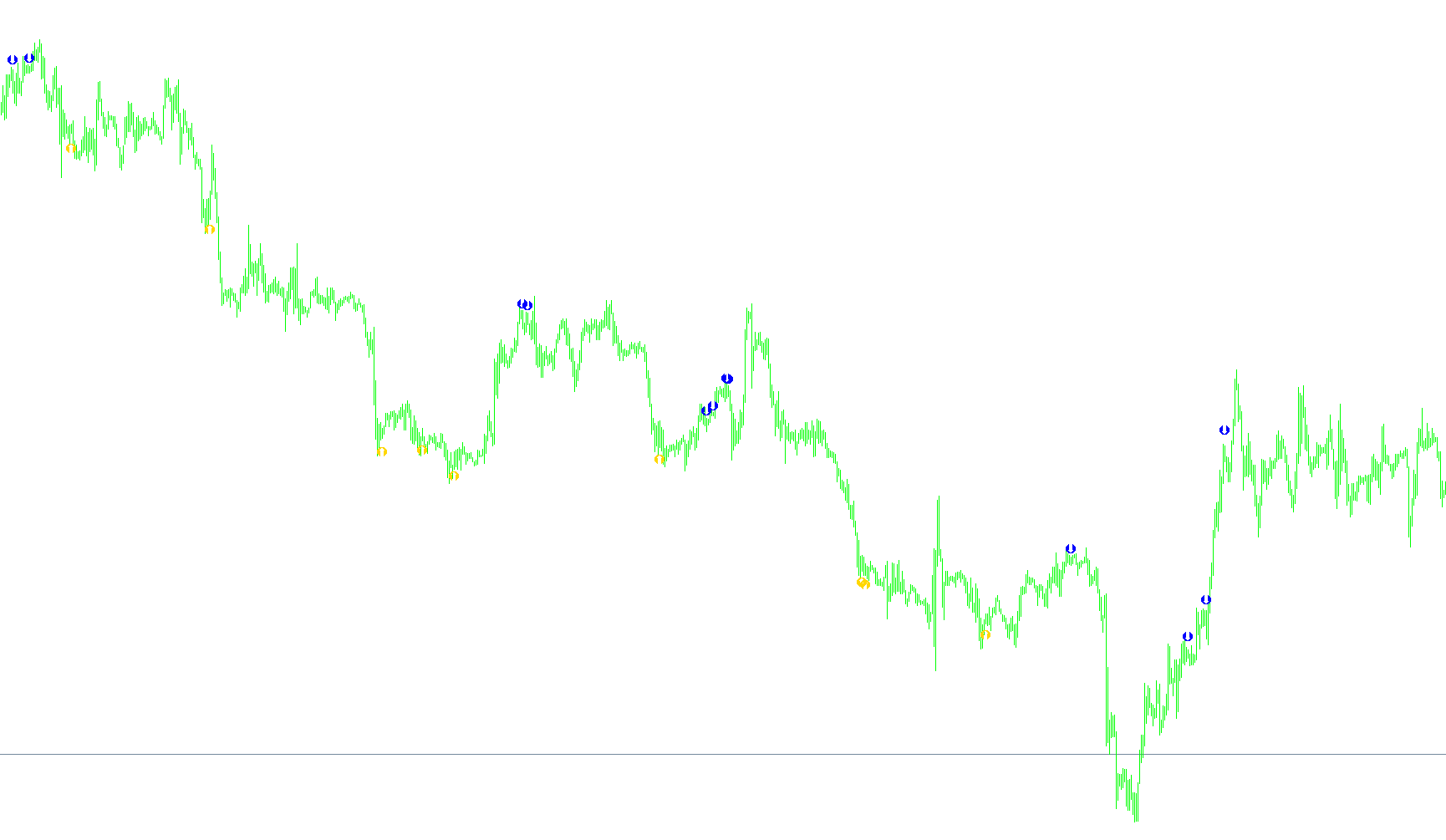
This technical script, titled "BearNaked," is an automated trading indicator designed to identify specific entry points for buying and selling by analyzing market momentum, volatility, and price positioning. Instead of looking at just one factor, it combines multiple mathematical layers to filter out "noise" and focus on high-probability trends.
Core Analytical Components
The logic relies on four primary types of data:
- CCI (Commodity Channel Index): Used to determine the strength and momentum of the price movement. It helps identify when the market is overextended or moving with significant force.
- Moving Average (MA): The script calculates a moving average specifically based on the CCI values. This allows the tool to see the "trend of the momentum," helping to identify when momentum is starting to shift.
- Bollinger Bands: These are used to measure volatility and price extremes. They act as dynamic boundaries to help the script understand if the price is pushing into "overbought" or "oversold" territory.
- Range Analysis: The script calculates the average high-to-low distance over a set number of candles to ensure that signals are placed at visually appropriate distances from the price action.
How the Logic Works
The indicator scans each candle and looks for a specific sequence of events to trigger a signal (represented as an arrow on your chart).
1. Sell Signals (Bearish)
For a sell signal to appear, several conditions must be met simultaneously:
- Overextension: The CCI must be above a specific high threshold (indicating the market is hot).
- Momentum Shift: The CCI must cross back below its own moving average.
- Price Position: The price must stay within or very near the upper Bollinger Band.
- Confirmation Filters:
- The current candle’s high must be lower than (or equal to) the previous candle's high to confirm a slowing trend.
- The distance between the price and the band must be small (to ensure it isn't "too far" gone).
- The candle's volatility (the height of the candle) must stay below a specific limit to ensure the move isn't too erratic.
- Optional "Breakout" Logic: If a specific setting is enabled, the script can also trigger a signal even if the price "punches through" the Bollinger Band, provided the momentum and volatility conditions are still met.
2. Buy Signals (Bullish)
The logic for buying is the exact inverse of the sell logic:
- Oversold Status: The CCI must be below a specific low threshold.
- Momentum Shift: The CCI must cross back above its moving average.
- Price Position: The price must stay within or very near the lower Bollinger Band.
- Confirmation Filters:
- The current candle’s low must be higher than (or equal to) the previous candle's low.
- The distance between the price and the band must be minimal.
- The candle's volatility must remain within a controlled range.
3. Alternative Setup (Setup 2)
There is an optional mode that triggers signals based on a different relationship between the CCI and its Moving Average. This identifies scenarios where the moving average itself has reached an extreme level, providing a secondary method for spotting trend reversals or exhaustion points.
Summary for the User
Essentially, this script acts as a trend-exhaustion filter. It waits for the market to become overextended (high/low CCI), looks for the moment that momentum begins to tire (CCI crossing the Moving Average), and then checks if the current price movement is stable enough to be tradable. It places "Buy" arrows below the price when it detects a bullish reversal and "Sell" arrows above the price when it detects a bearish reversal.
//+------------------------------------------------------------------+
//|                                                 BearNaked1.1.mq4 |
//|                                              Daniel Vieira Costa |
//|                                         seilatrader.blogspot.com |
//+------------------------------------------------------------------+
#property copyright "Daniel Vieira Costa"
#property link      "seilatrader.blogspot.com"

#property indicator_chart_window
#property indicator_buffers 2
#property indicator_color1 DarkTurquoise
#property indicator_color2 Red

//--
extern int    CCI_Periodo   = 21;
extern double NivelCCI_MIN  = -80;
extern double NivelCCI_MAX  = 80;
extern int    MM_Periodo    = 14;
extern int    BB_Periodo    = 21;
extern int    BB_Desvio     = 2;
extern double PIP_DesvioMAX = 0.0010;
extern double PIP_Oscilacao = 0.0015;
extern bool   CCISetup2     = false;
extern bool   FuraBollinger = false;
//---
double compra[];
double venda[];
//--

//+------------------------------------------------------------------+
//| Custom indicator initialization function                         |
//+------------------------------------------------------------------+
int init()
  {
   SetIndexStyle(0, DRAW_ARROW, EMPTY);
   SetIndexArrow(0, 221);
   SetIndexBuffer(0, compra);
   SetIndexStyle(1, DRAW_ARROW, EMPTY);
   SetIndexArrow(1, 222);
   SetIndexBuffer(1, venda);

//---- indicators
//----
   return(0);
  }
//+------------------------------------------------------------------+
//| Custom indicator deinitialization function                       |
//+------------------------------------------------------------------+
int deinit()
  {
//----

//----
   return(0);
  }

//+------------------------------------------------------------------+
//| Custom indicator iteration function                              |
//+------------------------------------------------------------------+
int start()
{
   // indicadores
   double mm, cci, Range, AvgRange;
   double CCI[];
   double MM[];
   double BB_UP[], BB_LOW[];
   int i, barrasContadas, limite, Counter;
   barrasContadas = IndicatorCounted();
   if (barrasContadas < 0)
      return(-1);
   if (barrasContadas > 0)
      barrasContadas--;
   limite = Bars-barrasContadas;
   // seto o tamanho das listas
   ArraySetAsSeries(CCI, true);
   ArrayResize(CCI, limite);
   ArrayResize(MM, limite);
   ArrayResize(BB_UP, limite);
   ArrayResize(BB_LOW, limite);
   // load first the CCI values
   for (i=0; i<=limite; i++)
      CCI[i] =iCCI(NULL, 0, CCI_Periodo, PRICE_WEIGHTED, i);
   // load the Moving Average with the values of the CCI
   for (i=0; i<=limite; i++)
      MM[i]    = iMAOnArray(CCI, limite, MM_Periodo, 0, MODE_EMA, i);
   for (i=0; i<=limite; i++)
   {
      Counter  =0;
      Range    =0;
      AvgRange =0;

      for (Counter=i; Counter<=i+9; Counter++)
         AvgRange=AvgRange+MathAbs(High[Counter]-Low[Counter]);
      Range=AvgRange/10;

      BB_UP[i] = iBands(NULL, 0, BB_Periodo, BB_Desvio, 0, PRICE_WEIGHTED, MODE_UPPER, i);
      BB_LOW[i]= iBands(NULL, 0, BB_Periodo, BB_Desvio, 0, PRICE_WEIGHTED, MODE_LOWER, i);
      // primeiro verifica se CCI está acima do nivel máximo
      if (CCI[i] > NivelCCI_MAX)
      {
         // se o CCI cruzou a MM pra baixo
         if (CCI[i] < MM[i])
            // verifica se o preço está dentro da banda superior
            if (High[i] <= BB_UP[i])
            {
               // verifica se a máxima é menor que a máxima anterior
               // o motivo é para ratificar a confirmação da tendência
               if (High[i] <= High[i+1])
                  // verifica a distância entre a o preço máximo e a banda de bollinger
                  // só se posiciona se a distância for considerável, ou seja, não tão distante
                  if ((BB_UP[i] -  High[i]) <= PIP_DesvioMAX)
                     // só se posiciona se a oscilação não for tão alta
                     if (High[i] - Low[i] <= PIP_Oscilacao)
                        venda[i] = High[i] + Range*0.5;

            }
            else
            // se considerar o furo da banda de bollinger
            if (FuraBollinger == true)
               // se o preço furar a banda de bollinger
               if (High[i] >= BB_UP[i])
                  // se a máxima for menor que a máxima anterior
                  if (High[i] <= High[i+1])
                     // se oscilar menos do que o máximo permitido
                     if (High[i] - Low[i] <= PIP_Oscilacao)
                        venda[i] = High[i] + Range*0.5;
      }
      else
      // verifica se o nivel de CCI está abaixo da mínima
      if (CCI[i] < NivelCCI_MIN)
      {
         // verifica se o CCI cruzou a MM pra cima
         if (CCI[i] > MM[i])
            // verifica se o preço mínimo está dentro da banda
            if (Low[i] >= BB_LOW[i])
            {
               // verifica se a mínima é maior que a mínima anterior
               // o motivo é para confirmar a tendência de alta
               if (Low[i] >= Low[i+1])
                  // verifica a distância entre a mínima e a banda de bollinger
                  // se posiciona se a distância for considerável
                  if (Low[i] - BB_LOW[i] <= PIP_DesvioMAX)
                     // verifica se o preço não oscilou mais do que PIP_Oscilacao
                     if (High[i] - Low[i] <= PIP_Oscilacao)
                        compra[i] = Low[i]- Range*0.5;
            }
            else
            // se considera valor que ultrapassou a banda de bollinger
            if (FuraBollinger == true)
               // se furou
               if (Low[i] <= BB_LOW[i])
                  // se a mínima for maior que a mínima anterior
                  if (Low[i] >= Low[i+1])
                     // verifica se o preço não oscilou mais do que o Pip máximo permitido
                     if (High[i] - Low[i] <= PIP_Oscilacao)
                        compra[i] = Low[i]- Range*0.5;
      }
      else
      // se quiser considerar o setup2. O setup2 consiste em uma situação na qual o CCI cruzou a
      // Média Movel porém, a MM se encontra acima ou abaixo do nível limite(MAX/MIN)
      if (CCISetup2 == true)
         if ((CCI[i] < NivelCCI_MAX) && (MM[i] > NivelCCI_MAX))
            venda[i] = High[i] + Range*0.5;
         else
         if ((CCI[i] > NivelCCI_MIN) && (MM[i] < NivelCCI_MIN))
            compra[i]= Low[i]- Range*0.5;
   }
   return(0);
}
Comments