EldersSafeZone
Download script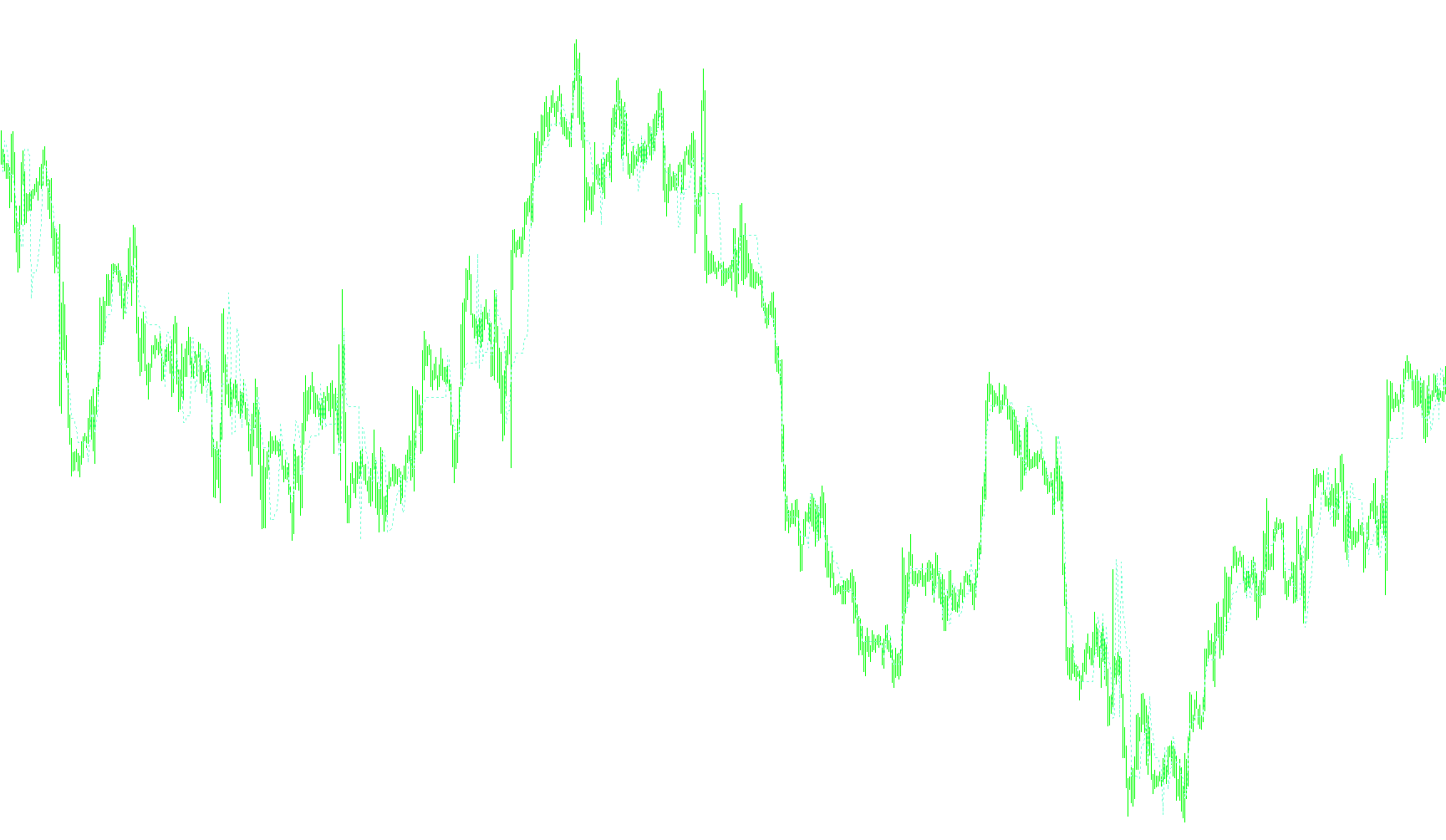
Overview of the Elders Safe Zone Indicator
The Elders Safe Zone is a specialized technical analysis tool designed to help traders identify "safe" price levels on a trading chart. It works by dynamically calculating a protective boundary based on recent market volatility and trend direction, essentially visualizing where the price might encounter significant resistance or support.
How the Logic Works
The indicator operates by analyzing three primary components of the market: moving averages, historical price fluctuations, and a customized "Stop Factor." Here is a breakdown of its core logic:
1. Trend Detection
The tool first looks at an Exponential Moving Average (EMA). It compares the current average against previous values to determine the immediate trend of the market:
- Uptrend: If the moving average is sloping upward, the indicator prepares to calculate a "safe" floor below the current price.
- Downtrend: If the moving average is sloping downward, it prepares to calculate a "safe" ceiling above the current price.
2. Volatility Measurement (The "Pen" Calculation)
To determine how far away the "Safe Zone" should be, the script looks back at a specific number of recent bars (defined by the LookBack setting). It scans these bars to find instances where the price moved significantly from one candle to the next.
- In an uptrend, it measures downward price swings.
- In a downtrend, it measures upward price spikes.
The script then calculates an average of these movements. This ensures that the "Safe Zone" is mathematically tied to how volatile the market has been recently; if the market is swinging wildly, the zone will be wider; if the market is stable, the zone will be tighter.
3. Determining the Safe Zone Line
Once the trend and volatility are established, the indicator calculates a specific price level:
- For Uptrends: It takes the current closing price and subtracts a multiple of the average volatility (controlled by the StopFactor).
- For Downtrends: It takes the current closing price and adds a multiple of the average volatility.
4. Continuity and Smoothing
To prevent the indicator line from making erratic jumps that could confuse a trader, the script includes a "memory" feature. It compares the newly calculated safe level with the previous one. If the new calculation suggests a move that contradicts the established trend direction (for example, trying to jump upward during a confirmed downtrend), the indicator holds the previous value. This creates a smooth, continuous line on your chart.
Summary for Traders
In essence, this tool automates the process of identifying "breathing room" in the market. By combining current momentum (Moving Averages) with historical price extremes (Volatility Scanning), it provides a visual guide that suggests where a trend might be exhausted or where a price might find stability, helping you make more informed decisions on entry and exit points.
//+------------------------------------------------------------------+
//|                                             Elders Safe Zone.mq4 |
//|                                                        Cubesteak |
//|                                                www.cubesteak.net |
//+------------------------------------------------------------------+
#property copyright "Cubesteak"
#property link      "www.cubesteak.net"
//----
#property  indicator_buffers 1
#property indicator_color1 Red
#property indicator_chart_window
//----
extern int LookBack=10;
extern int StopFactor=3;
extern int EMALength=13;
extern color LineColor=Aquamarine;
//----
double ExtBuffer[];
//+------------------------------------------------------------------+
//| Custom indicator initialization function                         |
//+------------------------------------------------------------------+
int init()
  {
//---- indicators
   SetIndexBuffer(0,ExtBuffer);
   SetIndexStyle(0,DRAW_LINE,2,1,LineColor);
//----
   return(0);
  }
//+------------------------------------------------------------------+
//| Custom indicator deinitialization function                       |
//+------------------------------------------------------------------+
int deinit()
  {
//----
//----
   return(0);
  }
//+------------------------------------------------------------------+
//| Custom indicator iteration function                              |
//+------------------------------------------------------------------+
int start()
  {
   double SafeStop=0;
   int    counted_bars=IndicatorCounted();
   int limit=Bars - LookBack - 3;
   for(int shift=limit;shift>=0;shift--)
     {
      double EMA0=iMA(Symbol(),0,EMALength,0,MODE_EMA,0,shift);
      double EMA1=iMA(Symbol(),0,EMALength,0,MODE_EMA,0,shift+1);
      double EMA2=iMA(Symbol(),0,EMALength,0,MODE_EMA,0,shift+2);
      double PreSafeStop=ExtBuffer[shift+1];
      double Pen=0;
      int Counter=0;
      if (EMA0 > EMA1)
        {
         for(int value1=0;value1<=LookBack; value1++)
           {
            if (Low[shift+value1] < Low[shift+value1+1])
              {
               Pen=Low[shift+value1+1] - Low[shift+value1] + Pen;
               Counter=Counter + 1;
              }
           }
         if (Counter!=0) SafeStop=Close[shift] - (StopFactor * (Pen/Counter));
         else SafeStop=Close[shift] - (StopFactor * Pen);
         if ((SafeStop < PreSafeStop) && (EMA1 > EMA2)) SafeStop=PreSafeStop;
        }
      if (EMA0 < EMA1)
        {
         for(value1=0;value1<=LookBack; value1++)
           {
            if (High[shift+value1] > High[shift+value1+1])
              {
               Pen=High[shift+value1] - High[shift+value1+1] + Pen;
               Counter=Counter + 1;
              }
           }
         if (Counter!=0) SafeStop=Close[shift] + (StopFactor * (Pen/Counter));
         else SafeStop=Close[shift] + (StopFactor * Pen);
         if ((SafeStop > PreSafeStop) && (EMA1 < EMA2)) SafeStop=PreSafeStop;
        }
      PreSafeStop=SafeStop;
      ExtBuffer[shift]=SafeStop;
     }
//----
//----
   return(0);
  }
//+------------------------------------------------------------------+
Comments