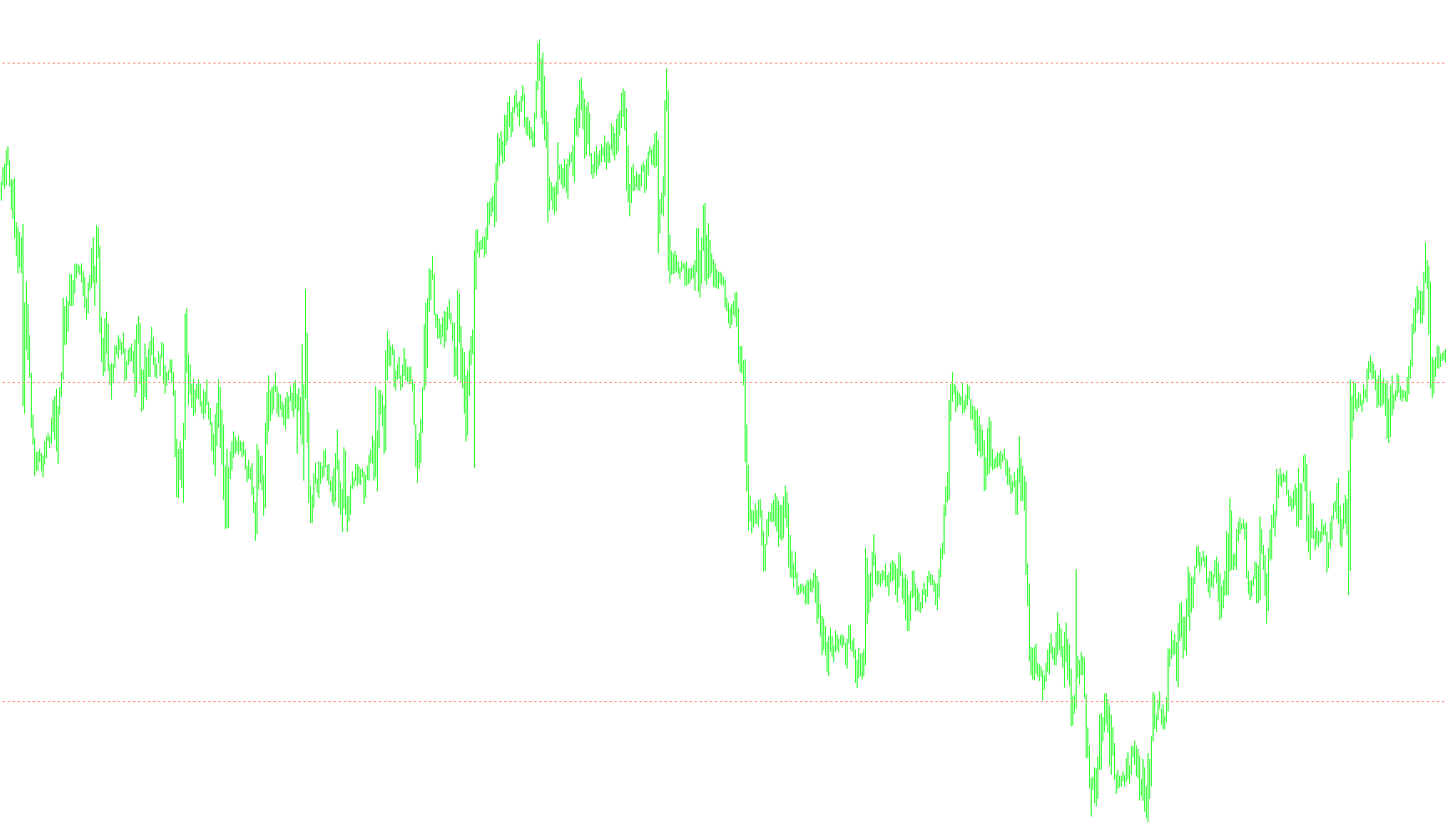
This script is designed to automatically organize your trading charts by drawing a clean, visual grid of horizontal lines. The primary goal is to make it easier for traders to read price action by creating reference points based on "powers of ten" (e.g., 10, 100, 1,000). This ensures that the grid spacing remains consistent and mathematically logical, regardless of whether you are looking at a high-value index or a low-value currency pair.
How it works:
Dynamic Range Analysis The tool constantly monitors the current view of your chart. It identifies the highest and lowest price points currently visible on your screen. By calculating the difference between these two extremes, the script understands the "scale" of the asset you are trading.
Smart Resolution Scaling Rather than using a fixed distance for every line (which might be too wide for some charts and too cramped for others), the script automatically selects an appropriate resolution based on that scale:
- For high-value assets, it may use larger increments like 1,000 or 10,000.
- For mid-range assets, it adjusts to increments like 100 or 10.
- For low-value currency pairs, it scales down to smaller increments like 0.10 or 0.01.
Automated Visualization Once the script determines the correct spacing for your specific chart:
- It calculates the exact starting position so that the grid aligns perfectly with the price action.
- It draws a series of horizontal lines across the entire visible range.
- The lines are styled as a dotted Salmon color to provide a clear visual guide without cluttering the screen.
Real-Time Updates The script is reactive. If you zoom in or out, resize your window, or if the price moves into a new range, the tool detects these changes instantly. It will automatically clear the old grid and redraw a new, perfectly scaled one to match your current view.
//+------------------------------------------------------------------+
//|                                                       Grid10.mq4 |
//|                                          Copyright © M00SE  2009 |
//|                                                                  |
//|                        G R I D   1 0                             |
//|                                                                  |
//| This indicator will draw a grid on a chart using grid lines      |
//| separated at a convenient power of ten (popular with humans!)    |
//| eg. an index chart with range 10,200 to 10,800 will use a        |
//| resolution of 100 whereas a currency pair chart with range       |
//| 1.56100 to 1.56900 will use a resolution of 0.01                 |
//+------------------------------------------------------------------+
#property copyright "Copyright © M00SE  2009"

#property indicator_chart_window

//---- input parameters

//---- data
int gridCt;
string sGrid = "GridLine";

//+------------------------------------------------------------------+
//| expert initialization function                                   |
//+------------------------------------------------------------------+
int init()
  {
//----

//----
   return(0);
  }

//+------------------------------------------------------------------+
//| expert deinitialization function                                 |
//+------------------------------------------------------------------+
int deinit()
  {
//----
   string sGridLine;

   for(int gridNo=0; gridNo < gridCt; gridNo++)
   {
      sGridLine = sGrid + CharToStr('0' + gridNo);
      ObjectDelete(sGridLine);
   }

//----
   return(0);
  }

//+------------------------------------------------------------------+
//| expert start function                                            |
//+------------------------------------------------------------------+
int start()
{
   double hiBarHi, loBarLo;
   int    hiBar, loBar;
   string sGridLine;
   double gridRes = 0.0100;
   double gridPos, startPos;
   double range;
   static double prevRange;
   int numBars, firstBar;
   static int prevNumBars;

   // calculate the number of bars displayed on the chart
   numBars = WindowBarsPerChart();
   firstBar = WindowFirstVisibleBar() - numBars;
   if(firstBar < 0)
   {
      firstBar = 0;
   }
   if(firstBar + numBars > WindowFirstVisibleBar())
   {
      numBars = WindowFirstVisibleBar() - firstBar;
   }

   // calculate the high - low range of the chart
   hiBar = iHighest(NULL, 0, MODE_HIGH, numBars, firstBar);
   hiBarHi = High[hiBar];

   loBar = iLowest(NULL, 0, MODE_LOW, numBars, firstBar);
   loBarLo = Low[loBar];

   range = hiBarHi - loBarLo;

   // need only draw the grid if the high - low range has changed
   // or the number of bars displayed has changed (ie. the chart has been resized)
   if((prevRange != range) || (prevNumBars != numBars))
   {
      deinit();
      prevRange = range;
      prevNumBars = numBars;

      // select a grid resolution based on the range of the chart
      if(range > 10000.0)
         gridRes = 10000.0;
      else if (range > 1000.0)
         gridRes = 1000.0;
      else if(range > 100.0)
         gridRes = 100.0;
      else if(range > 10.0)
         gridRes = 10.0;
      else if(range > 1.0)
         gridRes = 1.0;
      else if (range > 0.1000)
         gridRes = 0.1000;
      else
         gridRes = 0.0100;


      // draw the grid lines to encompass the full range of the chart
      startPos = loBarLo - gridRes;
      gridPos = startPos - MathMod(startPos, gridRes);
      gridCt = 0;
      while(gridPos < hiBarHi + gridRes)
      {
         sGridLine = sGrid + CharToStr('0' + gridCt);
         ObjectCreate(sGridLine, OBJ_HLINE, 0, 0, gridPos);
         ObjectSet(sGridLine, OBJPROP_COLOR, Salmon);
         ObjectSet(sGridLine, OBJPROP_STYLE, STYLE_DOT);

         gridPos += gridRes;
         gridCt++;
      }

      //---- force objects drawing
      ObjectsRedraw();

   }

   return(0);
}
//+------------------------------------------------------------------+
Comments