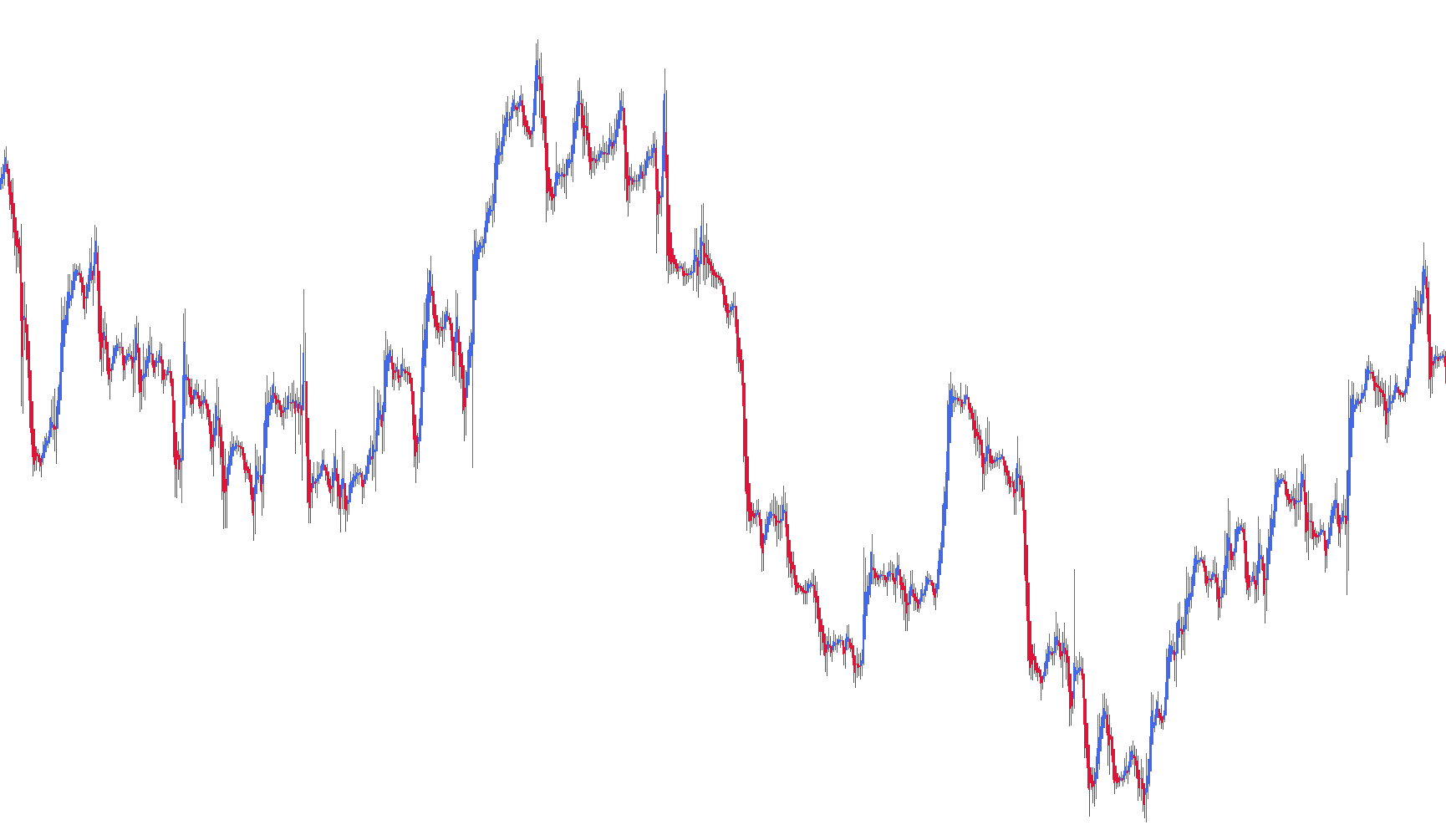
This script is designed to transform standard price action data into a specialized visual format known as Heikin Ashi. Unlike traditional candlesticks, which simply show the raw price movements of the current period, this tool applies a mathematical smoothing process to provide a clearer picture of market trends and momentum.
Core Logic and Functionality
The script works by recalculating the "Open," "High," "Low," and "Close" values for every candle on your chart. Instead of using the raw data provided by the exchange, it uses a hybrid calculation:
- Price Smoothing: The tool calculates a new "Open" price based on the average of the previous candle's open and close. It then determines a new "Close" price by averaging the current period's high, low, open, and close. This filtering helps to minimize "market noise"—the small, jagged fluctuations that can sometimes make it difficult to see the overall direction of the market.
- Trend Visualization: By using these smoothed averages, the script creates a visual representation of momentum. The logic distinguishes between bullish (upward) and bearish (downward) movements by comparing the calculated open and close prices.
- Dynamic Coloring: The script utilizes two distinct colors (Crimson and Royal Blue). It automatically assigns these colors based on whether the price trend is moving up or down. This allows traders to identify shifts in market sentiment more quickly than they might with standard candles.
Visual Experience
For the best visual result, the script is designed to be used on a line chart. It maps the calculated values into four distinct data buffers:
- Trend Direction: Identifies whether the current movement is bullish or bearish.
- High/Low Extremes: Plots the smoothed boundaries of the price movement.
- Calculated Open: Tracks the starting point of the smoothed price action.
- Calculated Close: Tracks the ending point of the smoothed price action.
By processing these values sequentially across the entire history of the chart, the script provides a fluid, continuous visual representation of market trends, making it easier to identify sustained moves and potential reversals.
/*-----------------------------+
|			       |
| Shared by www.Aptrafx.com    |
|			       |
+------------------------------*/

//+------------------------------------------------------------------+
//|                                                HeikenAshi_DM.mq4 |
//|                      Copyright c 2004, MetaQuotes Software Corp. |
//|                                        http://www.metaquotes.net |
//|                                        revised, Dean Malone      |
//+------------------------------------------------------------------+
//| For Heiken Ashi we recommend next chart settings ( press F8 or   |
//| select on menu 'Charts'->'Properties...'):                       |
//|  - On 'Color' Tab select 'Black' for 'Line Graph'                |
//|  - On 'Common' Tab disable 'Chart on Foreground' checkbox and    |
//|    select 'Line Chart' radiobutton                               |
//+------------------------------------------------------------------+
#property copyright "Copyright © 2004, MetaQuotes Software Corp."
#property link      "http://www.metaquotes.net"

#property indicator_chart_window
#property indicator_buffers 4
#property indicator_color1 Crimson
#property indicator_color2 RoyalBlue
#property indicator_color3 Crimson
#property indicator_color4 RoyalBlue
//---- buffers
double ExtMapBuffer1[];
double ExtMapBuffer2[];
double ExtMapBuffer3[];
double ExtMapBuffer4[];
//----
int ExtCountedBars=0;
//+------------------------------------------------------------------+
//| Custom indicator initialization function                         |
//|------------------------------------------------------------------|
int init()
  {
//---- indicators
   SetIndexStyle(0,DRAW_HISTOGRAM, 0, 1, Crimson);
   SetIndexBuffer(0, ExtMapBuffer1);
   SetIndexLabel(0,"HA_0");                           //included "HA_0" Buffer Label for Data Window
   SetIndexStyle(1,DRAW_HISTOGRAM, 0, 1, RoyalBlue);
   SetIndexBuffer(1, ExtMapBuffer2);
   SetIndexLabel(1,"HA_1");                           //included "HA_1" Buffer Label for Data Window
   SetIndexStyle(2,DRAW_HISTOGRAM, 0, 3, Crimson);
   SetIndexBuffer(2, ExtMapBuffer3);
   SetIndexLabel(2,"HA_Open");                        //included "HA_Open" Buffer Label for Data Window
   SetIndexStyle(3,DRAW_HISTOGRAM, 0, 3, RoyalBlue);
   SetIndexBuffer(3, ExtMapBuffer4);
   SetIndexLabel(3,"HA_Close");                       //included "HA_Close" Buffer Label for Data Window
//----
   SetIndexDrawBegin(0,10);
   SetIndexDrawBegin(1,10);
   SetIndexDrawBegin(2,10);
   SetIndexDrawBegin(3,10);
//---- indicator buffers mapping
   SetIndexBuffer(0,ExtMapBuffer1);
   SetIndexBuffer(1,ExtMapBuffer2);
   SetIndexBuffer(2,ExtMapBuffer3);//HA_Open
   SetIndexBuffer(3,ExtMapBuffer4);//HA_Close
//---- initialization done
   return(0);
  }
//+------------------------------------------------------------------+
//| Custom indicator deinitialization function                       |
//+------------------------------------------------------------------+
int deinit()
  {
//---- TODO: add your code here

//----
   return(0);
  }
//+------------------------------------------------------------------+
//| Custom indicator iteration function                              |
//+------------------------------------------------------------------+
int start()
  {
   double haOpen, haHigh, haLow, haClose;
   if(Bars<=10) return(0);
   ExtCountedBars=IndicatorCounted();
//---- check for possible errors
   if (ExtCountedBars<0) return(-1);
//---- last counted bar will be recounted
   if (ExtCountedBars>0) ExtCountedBars--;
   int pos=Bars-ExtCountedBars-1;
   while(pos>=0)
     {
      haOpen=(ExtMapBuffer3[pos+1]+ExtMapBuffer4[pos+1])/2;
      haClose=(Open[pos]+High[pos]+Low[pos]+Close[pos])/4;
      haHigh=MathMax(High[pos], MathMax(haOpen, haClose));
      haLow=MathMin(Low[pos], MathMin(haOpen, haClose));
      if (haOpen<haClose)
        {
         ExtMapBuffer1[pos]=haLow;
         ExtMapBuffer2[pos]=haHigh;
        }
      else
        {
         ExtMapBuffer1[pos]=haHigh;
         ExtMapBuffer2[pos]=haLow;
        }
      ExtMapBuffer3[pos]=haOpen;
      ExtMapBuffer4[pos]=haClose;
 	   pos--;
     }
//----
   return(0);
  }
//+------------------------------------------------------------------+
Comments