LWMA-Crossover_Signal
Download script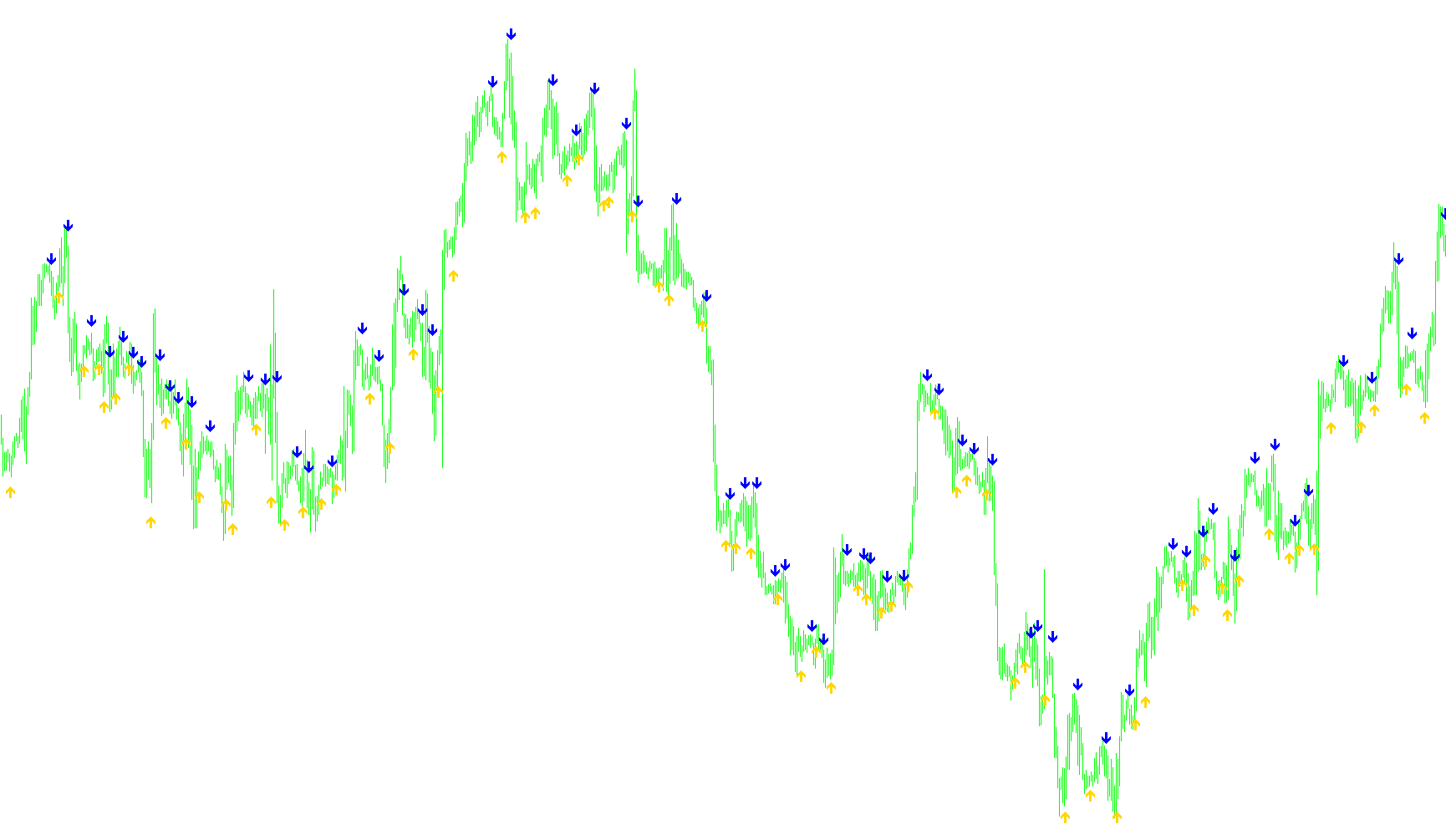
This script is designed to simplify how you identify trend shifts by highlighting specific "crossover" moments between two different moving averages on your trading chart.
How it Works
The tool tracks two distinct types of moving averages: a "Faster" one (which reacts quickly to price changes) and a "Slower" one (which follows the broader trend). Instead of forcing you to squint at these lines to see exactly where they meet—which can be difficult when your chart is zoomed out or cluttered with price bars—the script does the heavy lifting for you.
The Core Logic
The script constantly monitors the relationship between these two moving averages across every candle on the chart. It looks for three specific conditions to occur simultaneously:
- The Current Moment: It checks if the Faster average has just moved above (for a bullish signal) or below (for a bearish signal) the Slower average.
- The Previous Moment: It looks back at the previous candle to confirm that the lines were on the opposite side before the current point.
- The Next Moment: It verifies the movement continues in that new direction to ensure the crossover is valid and not just a momentary flicker.
Visual Signals
When the script identifies these precise "crossover" points, it places visual markers directly on your chart:
- Upward Crossover: When the Faster average breaks above the Slower average, a green arrow appears below the price candle. This suggests upward momentum.
- Downward Crossover: When the Faster average drops below the Slower average, a red arrow appears above the price candle. This suggests downward momentum.
Key Advantages for Traders
The script includes a unique calculation that measures the "Range" of the recent price action (the distance between the highs and lows of the last 10 candles). It uses this measurement to position the arrows accurately so they don't overlap with the actual price bars.
By using this tool, you can remove the moving average lines from your chart entirely if you prefer a cleaner look, as the script will still automatically plot the entry and exit signals exactly where the math dictates they should occur.
//+------------------------------------------------------------------+
//|                                         LWMA-Crossover_Signal.mq4 |
//|         Copyright © 2005, Jason Robinson (jnrtrading)            |
//|                   http://www.jnrtading.co.uk                     |
//+------------------------------------------------------------------+

/*
  +-------------------------------------------------------------------+
  | Allows you to enter two lwma periods and it will then show you at |
  | Which point they crossed over. It is more usful on the shorter    |
  | periods that get obscured by the bars / candlesticks and when     |
  | the zoom level is out. Also allows you then to remove the emas    |
  | from the chart. (lwmas are initially set at 5 and 6)              |
  +-------------------------------------------------------------------+
*/
#property copyright "Copyright © 2005, Jason Robinson (jnrtrading)"
#property link      "http://www.jnrtrading.co.uk"

#property indicator_chart_window
#property indicator_buffers 2
#property indicator_color1 SpringGreen
#property indicator_color2 Red

double CrossUp[];
double CrossDown[];
extern int FasterLWMA = 5;
extern int SlowerLWMA = 6;
//+------------------------------------------------------------------+
//| Custom indicator initialization function                         |
//+------------------------------------------------------------------+
int init()
  {
//---- indicators
   SetIndexStyle(0, DRAW_ARROW, EMPTY);
   SetIndexArrow(0, 233);
   SetIndexBuffer(0, CrossUp);
   SetIndexStyle(1, DRAW_ARROW, EMPTY);
   SetIndexArrow(1, 234);
   SetIndexBuffer(1, CrossDown);
//----
   return(0);
  }
//+------------------------------------------------------------------+
//| Custom indicator deinitialization function                       |
//+------------------------------------------------------------------+
int deinit()
  {
//----

//----
   return(0);
  }
//+------------------------------------------------------------------+
//| Custom indicator iteration function                              |
//+------------------------------------------------------------------+
int start() {
   int limit, i, counter;
   double fasterLWMAnow, slowerLWMAnow, fasterLWMAprevious, slowerLWMAprevious, fasterLWMAafter, slowerLWMAafter;
   double Range, AvgRange;
   int counted_bars=IndicatorCounted();
//---- check for possible errors
   if(counted_bars<0) return(-1);
//---- last counted bar will be recounted
   if(counted_bars>0) counted_bars--;

   limit=Bars-counted_bars;

   for(i = 0; i <= limit; i++) {

      counter=i;
      Range=0;
      AvgRange=0;
      for (counter=i ;counter<=i+9;counter++) {
         AvgRange=AvgRange+MathAbs(High[counter]-Low[counter]);
      }
      Range=AvgRange/10;

      fasterLWMAnow = iMA(NULL, 0, FasterLWMA, 0, MODE_LWMA, PRICE_CLOSE, i);
      fasterLWMAprevious = iMA(NULL, 0, FasterLWMA, 0, MODE_LWMA, PRICE_CLOSE, i+1);
      fasterLWMAafter = iMA(NULL, 0, FasterLWMA, 0, MODE_LWMA, PRICE_CLOSE, i-1);

      slowerLWMAnow = iMA(NULL, 0, SlowerLWMA, 0, MODE_LWMA, PRICE_CLOSE, i);
      slowerLWMAprevious = iMA(NULL, 0, SlowerLWMA, 0, MODE_LWMA, PRICE_CLOSE, i+1);
      slowerLWMAafter = iMA(NULL, 0, SlowerLWMA, 0, MODE_LWMA, PRICE_CLOSE, i-1);

      if ((fasterLWMAnow > slowerLWMAnow) && (fasterLWMAprevious < slowerLWMAprevious) && (fasterLWMAafter > slowerLWMAafter)) {
         CrossUp[i] = Low[i] - Range*0.5;
      }
      else if ((fasterLWMAnow < slowerLWMAnow) && (fasterLWMAprevious > slowerLWMAprevious) && (fasterLWMAafter < slowerLWMAafter)) {
         CrossDown[i] = High[i] + Range*0.5;
      }
   }
   return(0);
}
Comments