market price
Download script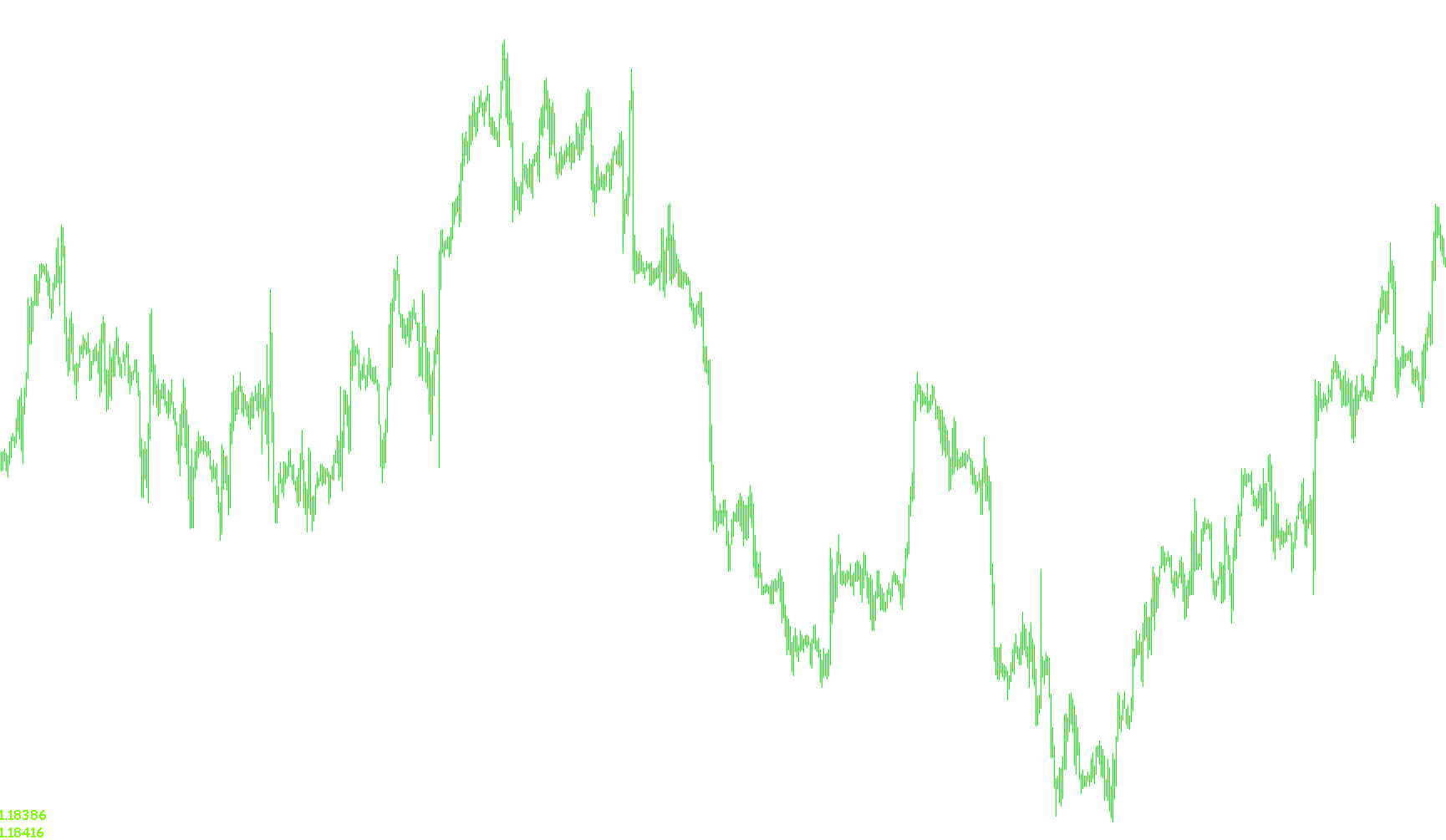
This tool is designed to provide traders with a clear, real-time visual display of current market prices directly on their trading charts. By magnifying these values into large, easy-to-read text, it removes the need for traders to constantly squint at small price ticks or switch between different windows to see the latest movement.
Key Functionalities:
Real-Time Price Display The script monitors the live "Bid" and "Ask" prices (the current цены for selling and buying) and displays them as large text labels on your screen. It automatically formats these numbers based on the correct decimal places of the specific currency pair you are viewing.
Dynamic Color Coding One of the primary features of this tool is its ability to communicate market direction through color:
- Price Increase: If the current price moves upward compared to the previous tick, the text changes to green.
- Price Decrease: If the current price moves downward, the text automatically switches to red. This provides an instant visual cue of momentum without requiring the trader to manually interpret the numbers.
Customizable Visuals The tool is highly adjustable to fit any trading setup. Users can customize:
- Placement: You can choose which corner of the chart the prices appear in (e.g., top left, top right, bottom left, or bottom right).
- Typography: The font type, size, and specific colors can be modified to ensure the display remains readable and aesthetically aligned with your personal workspace.
Clean Interface Management The script is programmed to handle its own lifecycle. When you activate the indicator, it creates the necessary visual labels; when you remove the indicator from the chart, it automatically cleans up and deletes those labels, ensuring your trading workspace stays organized and free of leftover clutter.
//+------------------------------------------------------------------+
//| Magnified Market Price.mq4        ver1.4             by Habeeb   |
//+------------------------------------------------------------------+

#property indicator_chart_window

  extern string note1 = "Change font colors automatically? True = Yes";
  extern bool   Bid_Ask_Colors = True;
  extern string note2 = "Default Font Color";
  extern color  FontColor = Black;
  extern color FontColor2 = Black;
  extern string note3 = "Font Size";
  extern int    FontSize=24;
  extern string note4 = "Font Type";
  extern string FontType="Comic Sans MS";
  extern string note5 = "Display the price in what corner?";
  extern string note6 = "Upper left=0; Upper right=1";
  extern string note7 = "Lower left=2; Lower right=3";
  extern int    WhatCorner=2;

  double        Old_Price;
  double        Old_Price2;

int init()
  {
   return(0);
  }

int deinit()
  {
  ObjectDelete("Market_Price_Label");

  return(0);
  }

int start()
  {
   if (Bid_Ask_Colors == True)
   {
    if (Bid > Old_Price) FontColor = LawnGreen;
    if (Bid < Old_Price) FontColor = Red;
    if (Ask > Old_Price2) FontColor2 = LawnGreen;
    if (Ask < Old_Price2) FontColor2 = Red;
    Old_Price = Bid;
    Old_Price2 = Ask;
   }

   string Market_Price2 = DoubleToStr(Ask, Digits);
   string Market_Price = DoubleToStr(Bid, Digits);


   ObjectCreate("Market_Price_Label2", OBJ_LABEL, 0, 0, 0);
   ObjectSetText("Market_Price_Label2", Market_Price2, FontSize, FontType, FontColor2);
   ObjectSet("Market_Price_Label2", OBJPROP_CORNER, WhatCorner);
   ObjectSet("Market_Price_Label2", OBJPROP_XDISTANCE, 1);
   ObjectSet("Market_Price_Label2", OBJPROP_YDISTANCE, 1);
   ObjectCreate("Market_Price_Label", OBJ_LABEL, 0, 0, 0);
   ObjectSetText("Market_Price_Label", Market_Price, FontSize, FontType, FontColor2);
   ObjectSet("Market_Price_Label", OBJPROP_CORNER, WhatCorner);
   ObjectSet("Market_Price_Label", OBJPROP_XDISTANCE, 1);
   ObjectSet("Market_Price_Label", OBJPROP_YDISTANCE, (FontSize+10));
  }
Comments