#MTF_MACD 4
Download script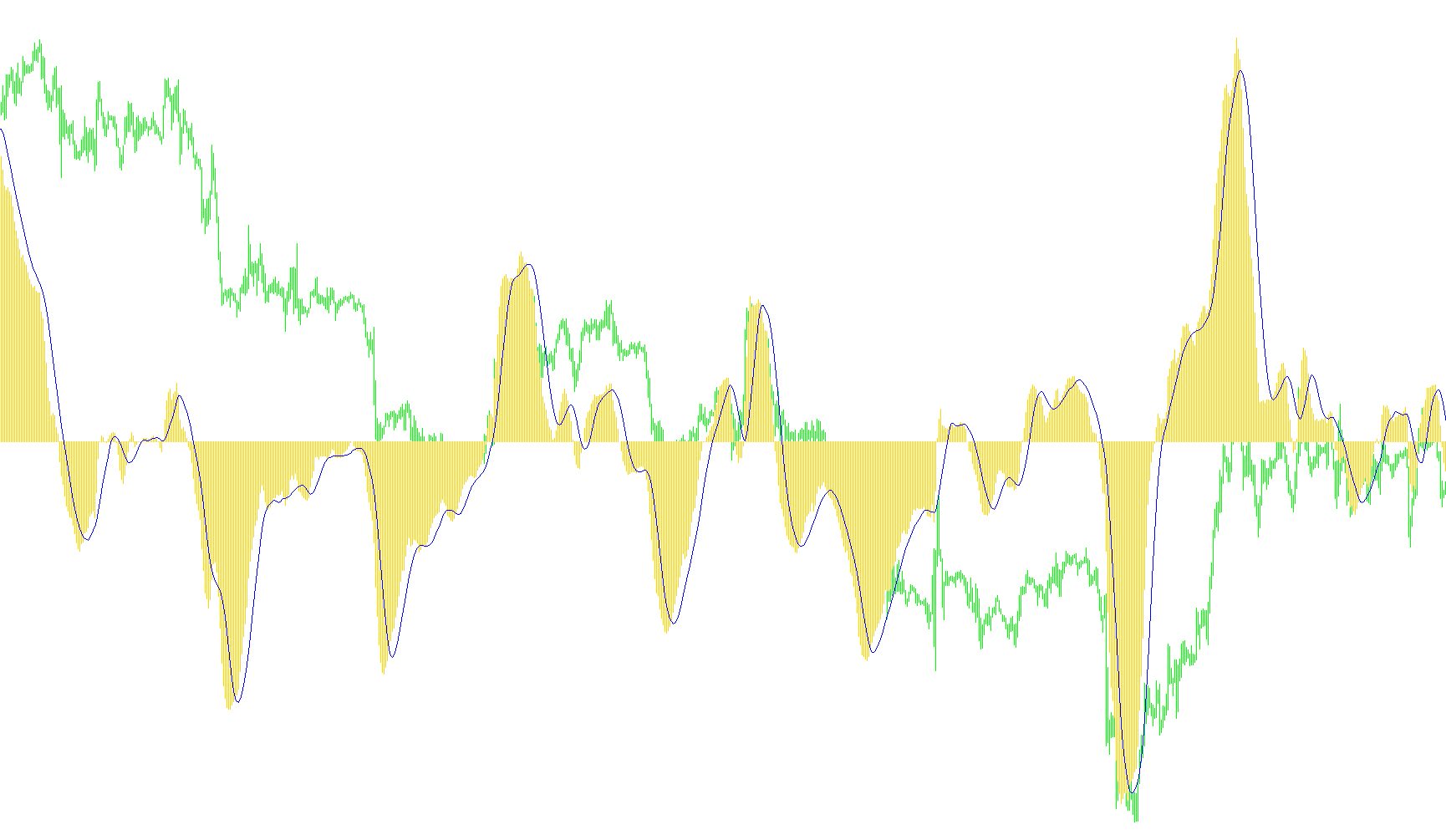
This tool is designed to provide traders with a multi-timeframe view of the MACD (Moving Average Convergence Divergence) indicator. In standard trading, most indicators only show data for the specific timeframe you are currently viewing on your chart. This script changes that behavior by allowing you to overlay technical data from a higher timeframe directly onto your current screen.
Core Logic and Functionality
Multi-Timeframe Integration The primary purpose of this script is "timeframe bridging." It allows you to monitor the momentum and trend of a much larger time period (such as Daily or Weekly charts) while you are actively looking at smaller, more granular movements (such as 15-minute or 1-hour charts). This helps traders ensure that their immediate trades align with the broader market direction.
Dynamic Data Mapping The script works by identifying the corresponding historical data points between your current chart and the selected higher timeframe. It automatically syncs these periods so that the indicator reflects the "big picture" accurately relative to the price movements you see in real-time.
Customizable Parameters The logic is built to be highly adjustable based on your specific trading style. You can define three key variables:
- Timeframe Selection: Choose exactly which higher period you want to track (ranging from 1-minute up to Monthly views).
- Moving Average Settings: Adjust the "Fast" and "Slow" speeds of the indicator, which determines how quickly the script reacts to price changes.
- Signal Smoothing: Customize the signal line to filter out market noise.
Visual Output The tool generates two distinct visual elements in a separate window below your main chart:
- A Histogram: This represents the main MACD value, showing the strength and direction of the momentum.
- A Signal Line: A secondary line that helps identify potential turning points or "crosses," which many traders use as cues to enter or exit positions.
By using this script, you can stay informed about long-term trends without having to constantly switch back and forth between different tabs or windows.
//+------------------------------------------------------------------+
//|                                                  MTF_MACD_v1.mq4 |
//|                                Copyright © 2006, TrendLaboratory |
//|            http://finance.groups.yahoo.com/group/TrendLaboratory |
//|                                   E-mail: igorad2003@yahoo.co.uk |
//+------------------------------------------------------------------+
#property copyright "Copyright © 2006, TrendLaboratory"
#property link      "http://finance.groups.yahoo.com/group/TrendLaboratory"

#property indicator_separate_window
#property indicator_buffers 2
#property indicator_color1 LightBlue
#property indicator_color2 Tomato
#property indicator_width1 2
#property indicator_width2 1
#property indicator_style2 2

//---- input parameters
/*************************************************************************
PERIOD_M1   1
PERIOD_M5   5
PERIOD_M15  15
PERIOD_M30  30
PERIOD_H1   60
PERIOD_H4   240
PERIOD_D1   1440
PERIOD_W1   10080
PERIOD_MN1  43200
You must use the numeric value of the timeframe that you want to use
when you set the TimeFrame' value with the indicator inputs.
**************************************************************************/
extern int TimeFrame = 0;
extern int Price=0;
extern int FastEMA=12;
extern int SlowEMA=26;
extern int SignalSMA=9;
//---- indicator buffers
double MACD[];
double Signal[];
//+------------------------------------------------------------------+
//| Custom indicator initialization function                         |
//+------------------------------------------------------------------+
  int init()
  {
   string short_name;
//---- indicator line
   SetIndexStyle(0,DRAW_HISTOGRAM);
   SetIndexStyle(1,DRAW_LINE);
   SetIndexBuffer(0,MACD);
   SetIndexBuffer(1,Signal);
   IndicatorDigits(MarketInfo(Symbol(),MODE_DIGITS));
//---- name for DataWindow and indicator subwindow label
   switch(TimeFrame)
   {
      case 1 : string TimeFrameStr="Period_M1"; break;
      case 5 : TimeFrameStr="Period_M5"; break;
      case 15 : TimeFrameStr="Period_M15"; break;
      case 30 : TimeFrameStr="Period_M30"; break;
      case 60 : TimeFrameStr="Period_H1"; break;
      case 240 : TimeFrameStr="Period_H4"; break;
      case 1440 : TimeFrameStr="Period_D1"; break;
      case 10080 : TimeFrameStr="Period_W1"; break;
      case 43200 : TimeFrameStr="Period_MN1"; break;
      default : TimeFrameStr="Current Timeframe";
   }
   short_name="MTF MACD("+TimeFrameStr+","+FastEMA+","+SlowEMA+","+SignalSMA+")";
   IndicatorShortName(short_name);
   SetIndexLabel(0,"MTF_MACD");
   SetIndexLabel(1,"Signal");
//----
   SetIndexDrawBegin(0,SlowEMA);
   SetIndexDrawBegin(1,SlowEMA);
//----
   return(0);
  }


//+------------------------------------------------------------------+
//| MTF_MACD v1                                      |
//+------------------------------------------------------------------+
int start()
{
   datetime TimeArray[];
   int    i,limit,y=0,counted_bars=IndicatorCounted();

// Plot defined time frame on to current time frame
   ArrayCopySeries(TimeArray,MODE_TIME,Symbol(),TimeFrame);

   limit=Bars-counted_bars+TimeFrame/Period();
   for(i=0,y=0;i<limit;i++)
   {
   if (Time[i]<TimeArray[y]) y++;

/***********************************************************
   Add your main indicator loop below.  You can add the full
      indicator code or you can just reference an existing
      indicator with its iValue or iCustom.
   Rule 1:  Add extern inputs above for all neccesary values
   Rule 2:  Use 'TimeFrame' for the indicator time frame
   Rule 3:  Use 'y' for your indicator's shift value
 **********************************************************/

   MACD[i]=iMACD(NULL,TimeFrame,FastEMA,SlowEMA,SignalSMA,Price,MODE_MAIN,y);
   Signal[i]=iMACD(NULL,TimeFrame,FastEMA,SlowEMA,SignalSMA,Price,MODE_SIGNAL,y);
   }
   return(0);
}
//+------------------------------------------------------------------+
Comments