s_v2
Download script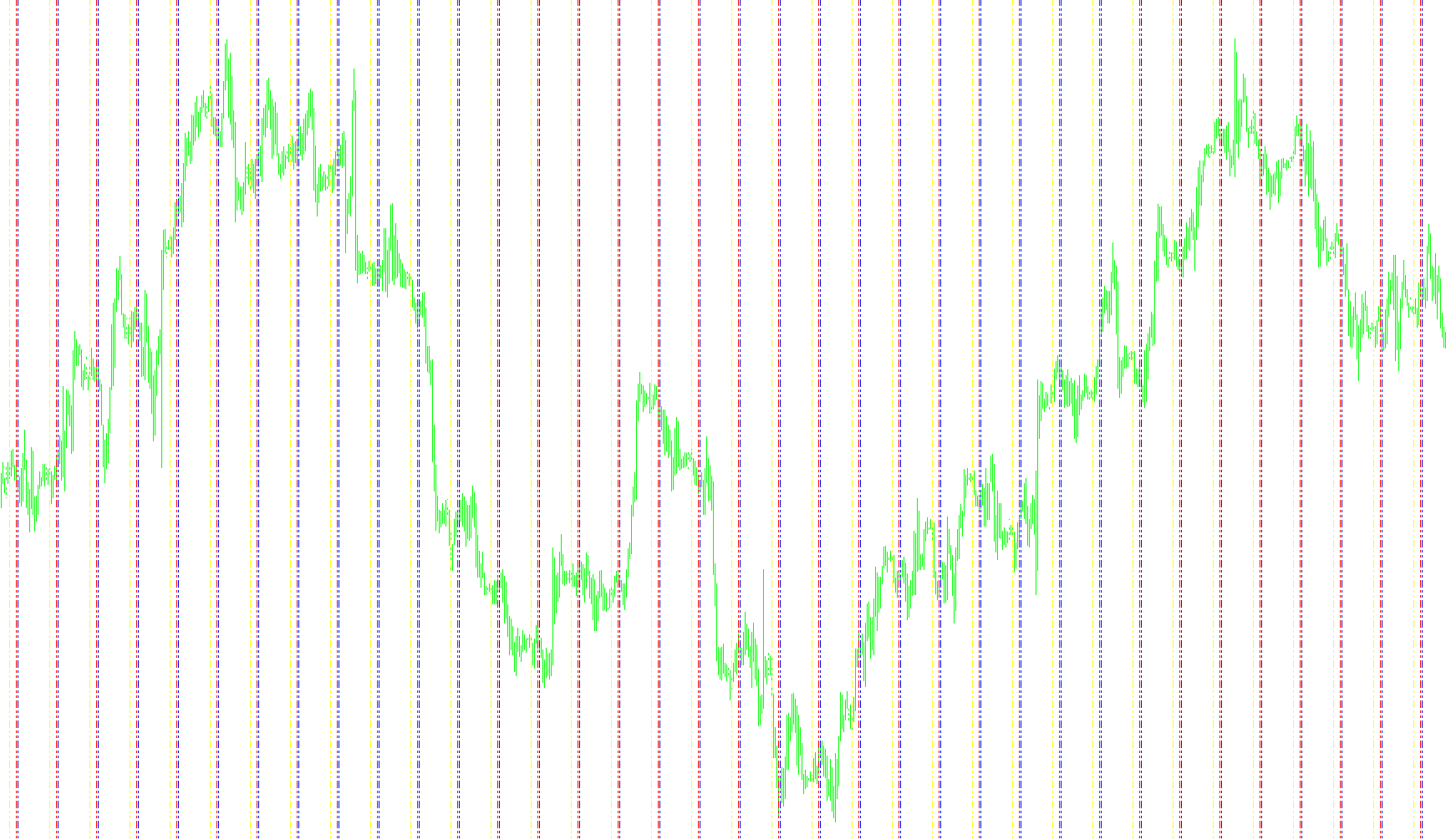
Time Zone Visualizer Overview
This script is designed to enhance your trading experience by providing a clear, visual roadmap of different global time zones directly on your price charts. Instead of having to manually calculate the time difference between your local broker's clock and various international markets, this tool automatically identifies and marks specific hours with vertical lines.
How It Works
The script scans your historical price data to identify specific moments in time based on predefined settings. When it detects a bar that matches a target hour and the start of an hour (minute zero), it draws a vertical line on your chart. This allows you to see exactly when key market sessions begin or end at a glance.
Key Visual Features
The tool identifies four distinct time markers, each represented by a different color and line style:
- EST (Eastern Standard Time): Marked with a Blue dashed line.
- MST (Mountain Standard Time): Marked with a Red dashed line.
- GMT (Greenwich Mean Time): Marked with a Yellow dashed line.
- Broker Time: Marked with a White dashed line to indicate the "00:00" hour of your specific trading platform.
Customization and Performance
To ensure the chart remains clean and responsive, the script includes several built-in management features:
- Adjustable Timeframes: You can customize the hours for EST, MST, and GMT within the settings to match the specific regional times you want to track.
- Historical Depth: The script is configured to look back over a specific number of bars (defaulting to 500). This ensures that your chart isn't cluttered with thousands of old lines, focusing only on the most relevant recent history while maintaining smooth performance.
- Automatic Cleanup: When you remove the indicator from your chart, the script is designed to automatically delete all the vertical lines it created, leaving your chart completely clean.
Why Use This?
This tool is ideal for traders who need to synchronize their strategies with global market openings. By visualizing these time zones, you can better understand "market liquidity" windows—knowing exactly when the New York, London, or Tokyo sessions are active relative to your own broker's time without having to do any manual math during your trading day.
//+------------------------------------------------------------------+
//|                                                    TimeZones.mq4 |
//|                       Copyright © 2004, MetaQuotes Software Corp. |
//|                                         http://www.metaquotes.net |
//|                                Made/Modified by Alejandro Galindo |
//|                                                                   |
//|                                                                   |
//|                       if this work/modification is helpful to you |
//|                      send me a PayPal donation to ag@elcactus.com |
//|                                         any help is apreciated :) |
//|                                                           Thanks. |
//+-------------------------------------------------------------------+
#property copyright "Copyright © 2005. Alejandro Galindo"
#property link      "http://elCactus.com"
//----
#property indicator_chart_window
//----
extern int EST=7;
extern int MST=6;
extern int GMT=2;
extern int CountBars=500;
//+------------------------------------------------------------------+
//| Custom indicator initialization function                         |
//+------------------------------------------------------------------+
int init()
  {
//---- indicators
//----
   return(0);
  }
//+------------------------------------------------------------------+
//| Custor indicator deinitialization function                       |
//+------------------------------------------------------------------+
int deinit()
  {
//----
   int shift=0;
     for(shift=Bars-1;shift>=0;shift--)
     {
      ObjectDelete("EST"+shift);
      ObjectDelete("MST"+shift);
      ObjectDelete("GMT"+shift);
      ObjectDelete("Broker"+shift);
     }
//----
   return(0);
  }
//+------------------------------------------------------------------+
//| Custom indicator iteration function                              |
//+------------------------------------------------------------------+
int start()
  {
   int    counted_bars=IndicatorCounted();
   int shift, NumBars=500;
   double CloseTime,OpenTime;
//----
   if (Bars<CountBars)  { NumBars=Bars-1; } else { NumBars=CountBars; }
     for(shift=Bars-1;shift>=0;shift--)
     {
      //      OpenTime=StrToTime(TimeDay(Time[shift])+" "+EST+":"+OpenTimeMin);
      //      CloseTime=StrToTime(TimeDay(Time[shift])+" "+MST+":"+CloseTimeMin);
        if (TimeHour(Time[shift])== EST && TimeMinute(Time[shift])==0)
        {
         if(ObjectFind("EST"+shift)!=0)
           {
            ObjectCreate("EST"+shift, OBJ_VLINE, 0, Time[shift], 0);
            ObjectSet("EST"+shift, OBJPROP_STYLE, STYLE_DASHDOTDOT);
            ObjectSet("EST"+shift, OBJPROP_COLOR, Blue);
           }
        }
        if (TimeHour(Time[shift])== MST && TimeMinute(Time[shift])==0)
        {
         if(ObjectFind("MST"+shift)!=0)
           {
            ObjectCreate("MST"+shift, OBJ_VLINE, 0, Time[shift], 0);
            ObjectSet("MST"+shift, OBJPROP_STYLE, STYLE_DASHDOTDOT);
            ObjectSet("MST"+shift, OBJPROP_COLOR, Red);
           }
        }
        if (TimeHour(Time[shift])== GMT && TimeMinute(Time[shift])==0)
        {
         if(ObjectFind("GMT"+shift)!=0)
           {
            ObjectCreate("GMT"+shift, OBJ_VLINE, 0, Time[shift], 0);
            ObjectSet("GMT"+shift, OBJPROP_STYLE, STYLE_DASHDOTDOT);
            ObjectSet("GMT"+shift, OBJPROP_COLOR, Yellow);
           }
        }
        if (TimeHour(Time[shift])== 0 && TimeMinute(Time[shift])==0)
        {
         if(ObjectFind("Broker"+shift)!=0)
           {
            ObjectCreate("Broker"+shift, OBJ_VLINE, 0, Time[shift], 0);
            ObjectSet("Broker"+shift, OBJPROP_STYLE, STYLE_DASHDOTDOT);
            ObjectSet("Broker"+shift, OBJPROP_COLOR, White);
           }
        }
     }
   return(0);
  }
//+------------------------------------------------------------------+
Comments