William36HistogramWalerttest
Download script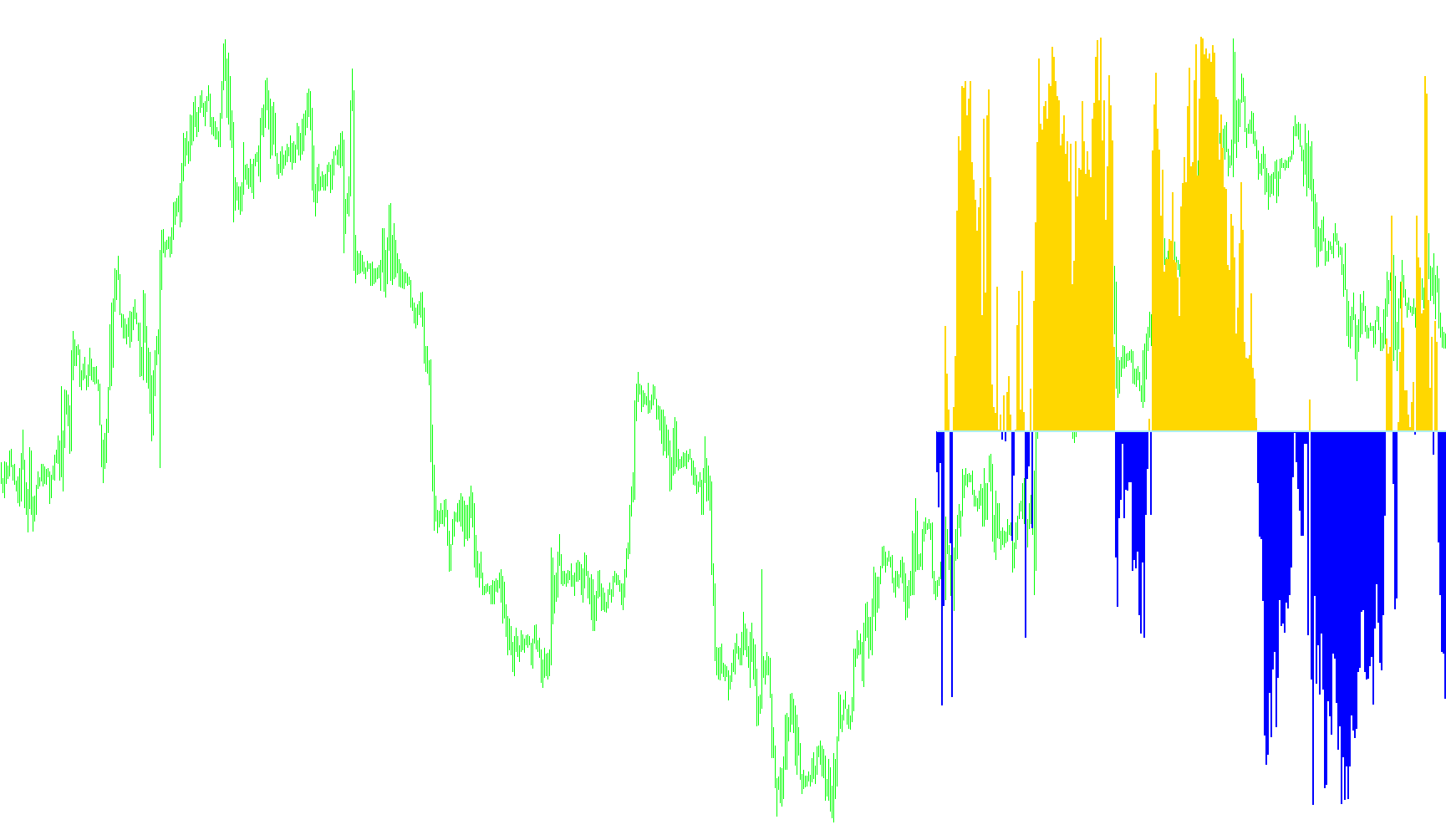
This technical tool is designed to help traders visualize and identify momentum shifts in the market by tracking where the current price sits relative to a recent range of highs and lows. It provides a clear visual representation of market sentiment, specifically looking for "overbought" or "oversold" conditions that might signal a potential change in direction.
Core Logic Overview
The script functions by analyzing a specific window of past price action (the last 40 bars). It calculates the position of the current closing price within that range to determine how far it has moved from the highest peak to the lowest trough. This percentage is then translated into a visual scale, allowing you to see if the market is stretched in one direction or returning to a neutral state.
Visual Components
To make this data easy to interpret at a glance, the indicator uses three primary visual elements:
- Green Histograms: These appear when the price momentum is trending toward the upper end of the range.
- Red Histograms: These appear when the price momentum is trending toward the lower end of the range.
- The Zero Line: A central baseline that acts as the equilibrium point for the indicator.
Automated Alert System
Beyond just providing a visual chart, the logic includes an automated "Switch" system designed to notify traders of specific movements:
- Buy Signals: The tool monitors for moments when the momentum shifts from negative to positive and reaches a specific strength threshold. When this happens, it triggers a "BUY" alert.
- Sell Signals: Conversely, if the momentum shifts from positive to negative and hits a specific depth threshold, it triggers a "SELL" alert.
Real-Time Feedback
The script also includes an interactive feedback system on the trading chart. It provides live text comments that update based on the current state of the momentum:
- Buy/Sell Switch Status: It informs you if a specific signal is currently active or "armed."
- Neutral State: If no significant momentum shift is detected, it clearly labels the status as "No Switch On," helping to prevent over-trading during sideways markets.
In essence, this tool acts as a momentum filter, distilling complex price movements into simple visual cues and automated alerts to help traders identify potential entry points based on historical price extremes.
/*-----------------------------+
|			       |
| Shared by www.Aptrafx.com    |
|			       |
+------------------------------*/

#property indicator_separate_window
#property indicator_buffers 3
#property indicator_color1 LimeGreen
#property indicator_color2 Red
#property indicator_color3 Gray
#property indicator_maximum 50
#property indicator_minimum -50
#property indicator_level1 0
#property indicator_level2 15
#property indicator_level3 -15
//---- input parameters


//---- buffers

double WU[],WD[],W[],Zero[];
int Ssw=0,Bsw=0;
//+------------------------------------------------------------------+
//| Custom indicator initialization function                         |
//+------------------------------------------------------------------+
int init()
  {
   string short_name;
//---- 3 additional buffers are used for counting.
   IndicatorBuffers(4);
   SetIndexBuffer(3,W);
//---- indicator lines
   SetIndexStyle(0,DRAW_HISTOGRAM,0,3);
   SetIndexBuffer(0,WU);
   SetIndexStyle(1,DRAW_HISTOGRAM,0,3);
   SetIndexBuffer(1,WD);
      SetIndexStyle(2,DRAW_LINE,0,2);
   SetIndexBuffer(2,Zero);
//---- name for DataWindow and indicator subwindow label
   short_name="William%R36 With Alert";
   IndicatorShortName(short_name);


//---- indicator lines


//----
   SetIndexDrawBegin(0,40);
//----
   return(0);
  }
//+------------------------------------------------------------------+
//| BSPVolume
//+------------------------------------------------------------------+
int start()
 {
   int    i,k,counted_bars=IndicatorCounted();

   if(Bars<=40) return(0);
//---- initial zero
/*
  if(counted_bars<1)
     {
      for(i=1;i<=CCIPeriod;i++) CCIBuffer[Bars-i]=0.0;
      for(i=1;i<=CCIPeriod;i++) DevBuffer[Bars-i]=0.0;
      for(i=1;i<=CCIPeriod;i++) MovBuffer[Bars-i]=0.0;
     }
*/
//---- last counted bar will be recounted
   int limit=Bars-counted_bars;
   if (counted_bars>0) limit++; else if (limit>300) limit=300;


   for(i=0; i<limit; i++)
      W[i]=50+(-100)*(High[Highest(NULL,0,MODE_HIGH,40,i)]-Close[i])/(High[Highest(NULL,0,MODE_HIGH,40,i)]-Low[Lowest(NULL,0,MODE_LOW,40,i)]);

   for(i=0; i<limit; i++) Zero[i]=0;

   for(i=0; i<limit; i++)
  {


     if (W[i]<0 && W[i+1]>0 && i<2)
     {
     Ssw=1;
     Bsw=0;
     }

     if (W[i]>0 && W[i+1]<0 && i<2)
     {
     Ssw=0;
     Bsw=1;
     }


     if (Bsw==1 && i<2 && W[i]>=15 )
         {
     Ssw=0;
     Bsw=0;
       Alert (Symbol()," ",Period()," Willy Says B U Y");
         }
       if (Ssw==1 && i<2 && W[i]<=-15 )
         {
     Ssw=0;
     Bsw=0;
       Alert (Symbol()," ",Period()," Willy Says S E L L");
     }
 if (Ssw==1) Comment ("SELL SWITCH ON","i ",i,"W[i] ",W[i],"W[i+1] ",W[i+1]);
 if (Bsw==1) Comment ("BUY SWITCH ON","i ",i,"W[i] ",W[i],"W[i+1] ",W[i+1]);
 if (Bsw==0 && Ssw==0) Comment ("NO SWITCH ON","i ",i,"W[i] ",W[i],"W[i+1] ",W[i+1]);


   if (W[i]>0)
      {WU[i]=W[i];WD[i]=0;}

      else if (W[i]<0)
          {WU[i]=0;WD[i]=W[i];}

            else {WU[i]=0;WD[i]=0;}
        }
            return(0);

}
Comments