BatFink Trend Change Indicator Alert
Download script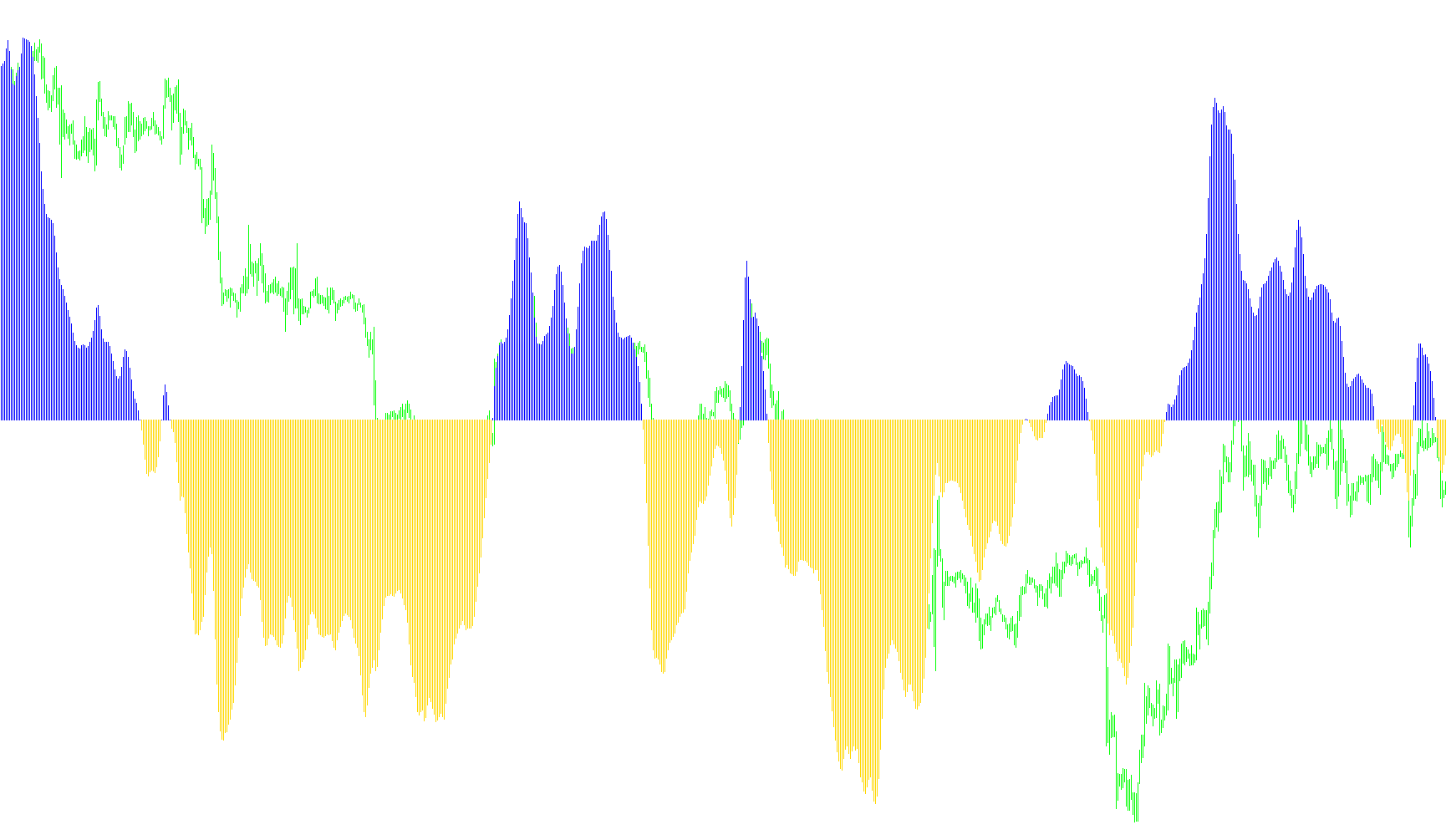
This indicator is designed to help traders identify significant shifts in market trends by analyzing price action over a specific historical window. Rather than simply following the immediate movement of price, it uses a sophisticated mathematical approach to smooth out "noise" and highlight the underlying direction of the market.
How the Logic Works
1. Range Analysis The script looks back at a set number of previous candles (the period) to identify the highest high and the lowest low within that timeframe. By establishing this range, the tool can determine where the current price sits relative to recent extremes.
2. Relative Positioning & Smoothing The indicator calculates where the current price falls within that High-Low range. It then applies a weighted calculation to determine a "value." This value is smoothed out progressively—meaning it doesn't react wildly to every tiny tick, but instead follows the broader momentum. This ensures that the resulting visual output represents a steady trend rather than erratic fluctuations.
3. Trend Transformation The smoothed value is converted into a specific mathematical curve. This transformation helps clarify whether the market is leaning toward the top or the bottom of its recent range. The result is displayed in a separate window, providing a clear visual representation of momentum.
4. Dynamic Trend Detection (Up vs. Down) The script monitors the relationship between the current value and the previous one to determine the trend direction:
- Bullish Shift: When the indicator moves into positive territory or shows upward momentum, it identifies an "Up" trend.
- Bearish Shift: When the indicator moves into negative territory or shows downward momentum, it identifies a "Down" trend.
Automated Notifications
To ensure you don't have to watch the charts constantly, the script includes an automated alert system. It is programmed to recognize the exact moment the trend flips:
- Alerts & Emails: When the indicator switches from an upward trend to a downward trend (or vice versa), it triggers a pop-up alert on your screen and sends an email notification.
By focusing on the transition between these states, the tool acts as a signal provider, highlighting the moments where the market's prevailing direction may be changing.
//+------------------------------------------------------------------+
//|                               BatFink Trend Change Indicator.mq4 |
//|                                                       Mark Jupp. |
//|                                        http://www.metaquotes.net |
//+------------------------------------------------------------------+

#property copyright "Mark Jupp."
#property link      "http://www.metaquotes.net"

#property indicator_separate_window
#property indicator_buffers 2
#property  indicator_color1 Blue
#property indicator_color2 OrangeRed

extern int period=100;
extern bool YesClose=true;

int candle;

//---- buffers

double ExtMapBuffer1[];
double ExtMapBuffer2[];
double ExtMapBuffer3[];

//+------------------------------------------------------------------+
//| Custom indicator initialization function                         |
//+------------------------------------------------------------------+

int upOn=0;

int init()
  {
//---- indicators

   SetIndexStyle(0,DRAW_HISTOGRAM);
   SetIndexBuffer(0,ExtMapBuffer1);
   SetIndexStyle(1,DRAW_HISTOGRAM);
   SetIndexBuffer(1,ExtMapBuffer2);
   SetIndexStyle(2,DRAW_HISTOGRAM);
   SetIndexBuffer(2,ExtMapBuffer3);
   IndicatorDigits(Digits+1);

//+------------------------------------------------------------------+
//| Indicator Description - 100 period trend change                  |
//+------------------------------------------------------------------+

   IndicatorShortName("BatFink Trend Change Indicator");
   SetIndexLabel(1,NULL);
   SetIndexLabel(2,NULL);
   return(0);
  }

//+------------------------------------------------------------------+
//| Custom indicator iteration function                              |
//+------------------------------------------------------------------+

   int start()
  {

   int    limit;
   int    counted_bars=IndicatorCounted();
   double prev,current,old;
   double Value=0,Value1=0,Value2=0,BatFink=0,BatFink1=0,BatFink2=0;
   double price;
   double MinL=0;
   double MaxH=0;
   if (YesClose==true){candle=1;}else{candle=0;}

   if(counted_bars>0) counted_bars--;
   limit=Bars-counted_bars;

   for(int i=0; i<limit; i++)
    {  MaxH = High[Highest(NULL,0,MODE_HIGH,period,i)];
       MinL = Low[Lowest(NULL,0,MODE_LOW,period,i)];
         price = (High[i]+Low[i])/2;
            Value = 0.33*2*((price-MinL)/(MaxH-MinL)-0.5) + 0.67*Value1;
            Value=MathMin(MathMax(Value,-0.999),0.999);
      ExtMapBuffer1[i]=0.5*MathLog((1+Value)/(1-Value))+0.5*BatFink1;
      Value1=Value;
      BatFink1=ExtMapBuffer1[i];
    }

   bool up=true;
   //bool upOn;
   for(i=limit-2; i>=0; i--)
     {
      current=ExtMapBuffer1[i];
      prev=ExtMapBuffer1[i+1];

      if (((current<0)&&(prev>0))||(current<0))   up= false;
      if (((current>0)&&(prev<0))||(current>0))   up= true;

      if(!up)
        {
         ExtMapBuffer1[i]=current;
        if ((upOn!=1)&&(i==1)){SendMail("BatFink Turned Down on " + Symbol(),"");
         Alert("BatFink Turned Down on " + Symbol());
         upOn=1;}

         ExtMapBuffer2[i]=0.0;
        }

       else
         {

          ExtMapBuffer2[i]=current;
          if ((upOn!=2)&&(i==1)){SendMail("BatFink Turned Up on " + Symbol(),"");
          Alert("BatFink Turned Up on " + Symbol());
          upOn=2;}
          ExtMapBuffer3[i]=0.0;
         }
     }

   return(0);
  }

//+------------------------------------------------------------------+
Comments