Color_MA
Download script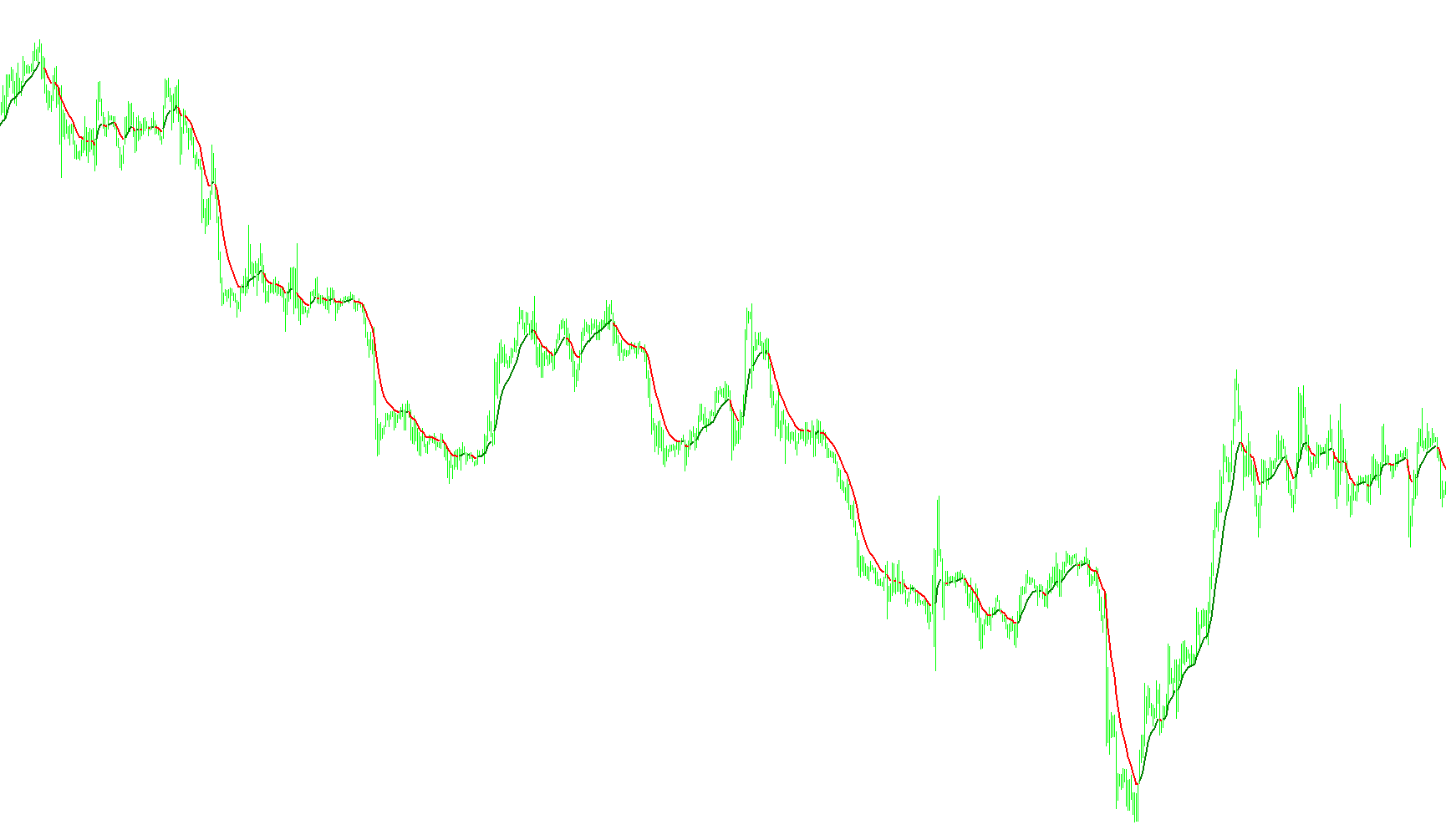
This tool is designed to provide a visual representation of market trends by analyzing price movement through a specialized moving average. Instead of displaying a single, static line, it dynamically changes color based on the direction of the trend, allowing for a more intuitive understanding of market momentum.
Core Logic and Functionality
The script operates by calculating an Exponential Moving Average (EMA), which smooths out short-term price fluctuations to reveal the underlying trend. To determine the behavior of the line on your chart, the logic compares the current average value against its previous value at each point in time.
The visual output is categorized into three distinct states:
- Upward Trend: If the current moving average value is higher than the previous one, the line is colored Green. This signifies that the price momentum is currently pushing upward.
- Downward Trend: If the current moving average value is lower than the previous one, the line changes to Red. This indicates that the price momentum is currently shifting downward.
- Neutral/Flat Movement: In the event that the moving average remains unchanged between two points, the line defaults to a Silver color. This represents a period of consolidation or sideways movement where there is no clear upward or downward trajectory.
User Customization
The script allows for several adjustable parameters to tailor the visual experience to your specific trading style:
- Period: You can adjust the sensitivity of the moving average. A smaller number will make the line react more quickly to price changes, while a larger number will result in a smoother, slower-moving indicator.
- Visual Styling: The tool provides options to customize the thickness of the lines and the specific colors used for each trend state (Up, Down, and Flat), ensuring it integrates perfectly with your existing chart layout.
By translating mathematical price data into a color-coded visual guide, this script helps traders quickly identify shifts in market direction without having to manually interpret complex fluctuations.
//+------------------------------------------------------------------+
//|                                                     Color_MA.mq4 |
//|                                                      Äåíèñ Îðëîâ |
//|                                    http://denis-or-love.narod.ru |
//+------------------------------------------------------------------+
#property copyright "Äåíèñ Îðëîâ"
#property link      "http://denis-or-love.narod.ru"

#property indicator_chart_window

#property indicator_buffers 3
#property indicator_color1 Green
#property indicator_color2 Red
#property indicator_color3 Silver

extern int PeriodAv=12;
extern int Flat=1;
extern color ColorUp=Green;
extern color ColorDown=Red;
extern color ColorFlat=Silver;
extern int Width=2;


double Line1[], Line2[],  Line3[];
//+------------------------------------------------------------------+
//| Custom indicator initialization function                         |
//+------------------------------------------------------------------+
int init()
  {
//---- indicators
    SetIndexStyle(0,DRAW_LINE,STYLE_SOLID,Width,ColorUp);//DRAW_LINE
   SetIndexBuffer(0,Line1);
   SetIndexStyle(1,DRAW_LINE,STYLE_SOLID,Width,ColorDown);
   SetIndexBuffer(1,Line2);
   SetIndexStyle(2,DRAW_LINE,STYLE_SOLID,Width,ColorFlat);//DRAW_LINE
   SetIndexBuffer(2,Line3);
//----
   return(0);
  }
//+------------------------------------------------------------------+
//| Custom indicator deinitialization function                       |
//+------------------------------------------------------------------+
int deinit()
  {
//----

//----
   return(0);
  }
//+------------------------------------------------------------------+
//| Custom indicator iteration function                              |
//+------------------------------------------------------------------+
int start()
  {
//----
       int    i, Counted_bars=IndicatorCounted();

     i=Bars-Counted_bars-1;           // Èíäåêñ ïåðâîãî íåïîñ÷èòàííîãî

      while(i>=0)                      // Öèêë ïî íåïîñ÷èòàííûì áàðàì
      {
         double MA_0=iMA(NULL,0,PeriodAv,0,MODE_EMA,PRICE_CLOSE,i),
         MA_2=iMA(NULL,0,PeriodAv,0,MODE_EMA,PRICE_CLOSE,i+1);

         if(MA_0>MA_2) Line1[i]=MA_0;
            else
         if(MA_0<MA_2) Line2[i]=MA_0;
            else //if(MA_0==MA_2)
          Line3[i]=MA_0;
         i--;
      }
//----
   return(0);
  }
//+------------------------------------------------------------------+
Comments